
Jailbreaking Gaming Consoles - An Overview

Jailbreaking a gaming console means you bypass the manufacturer's software restrictions, allowing you to install apps, pirated games, and more. There are risks involved, and you need a console with old firmware.
Here's an overview of what it means to jailbreak a gaming console:
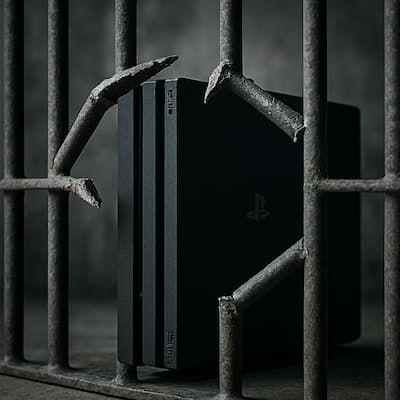
What Is Jailbreaking?
Jailbreaking is the process of modifying a console’s firmware to bypass manufacturer restrictions. This allows users to:
Install homebrew apps
Run emulators
Access custom dashboards
Play unsigned or pirated games (which is illegal)
Jailbreaking PS4 consoles is the most common, but you need a console with old firmware. The latest firmware updates are not compatible with jailbreaking.
One of the main reasons people jailbreak gaming consoles is to install hundreds of the latest games without paying for them.
Can I Play Online with a Jailbroken Console?
To access the PSN (PlayStation Network), you need to have the latest firmware, which means updating your console. This will cause the jailbroken software to no longer work.
However, you can access homebrew applications such as Hamachi or PSLAN or private servers where you can play online with other gamers who also have jailbroken consoles.
What Gaming Consoles are Jailbreak Compatible?
Not all gaming consoles are jailbreak compatible, and most importantly, you need old firmware. So, if your gaming console is up to date, there's no way to jailbreak it.
Here are the current compatible models and the firmware you need for jailbreaking to work:
Gaming Console | Compatible Firmware |
PS4 | Firmware 10.00 or lower (GoldHEN) |
PS3 | Firmware 4.88 or lower (HFW + PS3HEN) |
PS5 | Limited exploits on firmware ≤ 4.03 |
Xbox 360 | Most versions, depending on the motherboard |
Nintendo Switch | Unpatched units on firmware ≤ 15.0.1 (Atmosphère) |
Who Can Jailbreak Gaming Consoles in South Africa?
To jailbreak a gaming console is not as easy and straightforward as it might seem. You need to know what you're doing to get everything to work properly.
Therefore, if you're planning to jailbreak your console, we highly recommend using an experienced technician who has the right software and knowledge.

Ruiter Electronics
Ruiter Electronics is a well-known console repair technician with the right software and expert knowledge to jailbreak compatible gaming consoles.
What You Need to Jailbreak a Console
Requirement | Description |
Computer | Used to download and run exploit tools and transfer payloads. |
USB Drive (SD Card for Nintendo) | Required to transfer and install firmware files and exploit loaders. |
Exploit Software | Tools like GoldHEN (PS4), Atmosphère (Switch), or J-Runner (Xbox 360). |
Compatible Firmware File | Must match your console’s version exactly to work correctly. |
Knowledge | A good understanding of the steps involved and the process. |
Pros and Cons of Jailbreaking
While the benefits seem brilliant - you get to play hundreds of games for free - there are some downsides as well. Here are the main pros and cons of jailbreaking a gaming console:
Pros
Run custom apps, emulators, and other software
Play the latest releases, rare games, and discontinued games
Modify themes, the user interface, and performance settings
Install hundreds of games on the console and external hard drive
Cons
If connected to PSN or Xbox Live, your console will be banned permanently
Exposure to potential hacks and malware
Is Jailbreaking Legal?
Interestingly, jailbreaking falls into a grey area in most parts of the world. You own the hardware and you can do with it what you want. However, you do not own the firmware, and modifying it could violate some laws and your agreement with the console provider.
As for installing piracy software and games, it's illegal, even with a jailbroken console.
Modding for personal use is often tolerated, but connecting jailbroken consoles to official networks or distributing pirated content is not.
Jailbreaking Your Console - Final Thoughts
Jailbreaking a PS4 or other gaming consoles can be incredible powerful, especially for customization. There are risks involved and making use of piracy software is illegal.
However, people continue jailbreaking consoles as they mainly use it offline, playing offline games or connecting to private networks.


32win chia phần giới thiệu thành từng mục có tiêu đề nên nhìn qua cũng khá dễ đọc. Mình hay có thói quen kéo trang trước rồi mới quay lại xem chỗ cần, chứ gặp một đoạn chữ dài quá là dễ bỏ sót ý. Ở đây phần giải thích nền tảng là gì có mục riêng, đọc tới đâu biết đang nói chuyện gì tới đó, không phải tự nối các ý với nhau. Cách viết như vậy hợp với lúc chỉ muốn xem sơ qua, chưa cần tìm hiểu kỹ hết nội dung. Có chỗ để dừng lại đọc một chút rồi lướt tiếp cũng đỡ ngợp hơn. Mình thấy không cần trình bày cầu kỳ, cứ phân…
B33 chia phần giới thiệu thành các mục có tiêu đề nên nhìn vào cũng dễ theo dõi. Mình hay lướt một lượt để xem có gì rồi mới đọc kỹ, chứ gặp nguyên một đoạn dài là hơi ngại. Ở đây muốn xem chỗ nào thì dừng lại chỗ đó, không cần đọc hết mới hiểu đang nói chuyện gì. Có mục riêng về việc hợp tác với hơn 30 nhà phát hành nữa, nên thông tin này không bị lẫn trong phần giới thiệu chung. Mình thích cách để riêng như vậy, ai quan tâm thì đọc thêm, còn đang xem nhanh vẫn nắm được ý chính. Nội dung khá nhiều nhưng không có cảm giác cứ nối…
hi88 mình ghé qua hôm nọ vì muốn ngó thử trang trông ra sao, cũng chỉ lướt một lát thôi chứ chưa đọc kỹ từng phần. Mình thường hơi mất kiên nhẫn nếu vừa mở trang đã thấy mọi thứ chen chúc, nên ở đây thấy các khối nội dung được chia riêng thì cũng có thiện cảm hơn chút. Nhìn sơ là biết chỗ nào với chỗ nào, không phải đọc hết một lượt mới hình dung được cách sắp xếp. Mình xem khá chậm, có đoạn dừng lại rồi mới lướt tiếp mà vẫn không bị rối mắt. Chưa khám phá sâu nên cũng chẳng có gì để kể nhiều, chỉ thấy phần trình bày khá hợp với…
hi88 có cách sắp xếp các mục khá hợp với kiểu xem nhanh của mình, nhìn vào là biết nội dung được chia ra sao. Với những trang có nhiều thứ để xem, mình thường thích phần nào ra phần đó hơn là dồn hết lên một màn hình. Ở đây các nhóm nội dung tách riêng nên cũng đỡ phải đọc từng dòng mới biết mình đang xem tới đâu. Mình chưa tìm hiểu kỹ bên trong, chỉ thấy phần giao diện khá dễ làm quen, không có cảm giác phải mò mẫm từ đầu. Một điểm tiện nữa là trang hỗ trợ cả điện thoại, vì mình ít khi ngồi máy tính chỉ để lướt xem thông tin.…
tg88 có phần giới thiệu chia thành từng mục với tiêu đề riêng, kiểu này mình thấy dễ đọc hơn một bài dài liền mạch. Nếu chỉ muốn xem trang nói về những gì thì lướt qua các đề mục cũng nắm được sơ sơ, chưa cần đọc hết ngay. Mình thường hơi ngại những trang dồn quá nhiều nội dung vào một chỗ, nên cách tách phần giới thiệu, danh mục giải trí rồi đến lời kết như vậy khá hợp mắt. Đọc đoạn nào xong thì chuyển sang đoạn kế tiếp, không phải tự đoán xem nội dung đang nói tới đâu. Phần danh mục giải trí cũng có tiêu đề riêng, tách khỏi phần nói về nền…